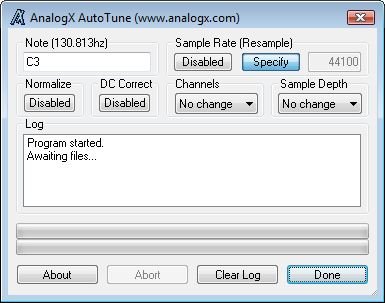
Just simply enter the note you want to use as the
base for all of your sounds, such as C3, and then
simply drag your samples onto the application, and
voila! Let AutoTune do the rest! AutoTune can also
be used to convert directories, instead of
individual files, by simply dragging the directory
onto the app.
Now, AutoTune is VERY computationally
intensive, so it can take it a while for the
analysis to take place, be patient! AutoTune is also
pretty memory intensive, using around 6 to 8 megs of
RAM for the average file, so the more memory you
have, the faster it will run. AutoTune now supports
mono and stereo WAV files, 8/16/24/32 bit formats
(both MS and IEEE), and can also normalize and DC
correct samples!
New in v2.31
Substancial cosmetic improvements to
interface
AutoTune is free.
Visit:
analogx.com